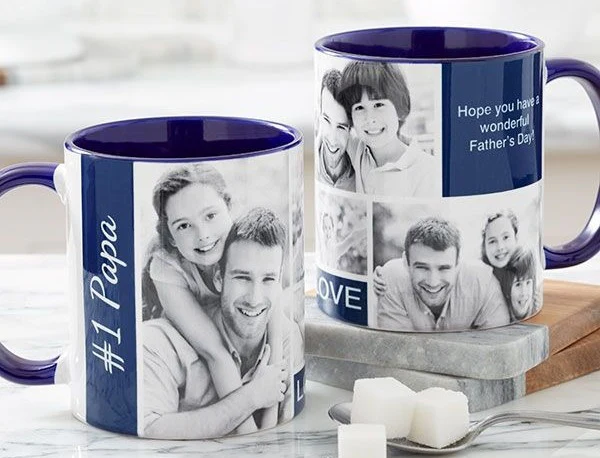
Custom mugs remain a durable “small-format” product for gifts, creator merch, office swag, and event giveaways. They’re also one of the few print products that can carry both a simple logo mark and a photo-based design without requiring complex sizing decisions.
For people without design experience, the practical friction is usually production reality: mug designs need to fit a specific printable area, wrap cleanly, and stay legible when viewed at arm’s length. A design that looks balanced on-screen can feel cramped or misaligned once it’s wrapped around a curved surface.
Tools in this category tend to separate into three approaches: template-first editors that help with layout and exporting, print-to-order flows that combine design and ordering, and print-on-demand (POD) platforms that add product setup, mockups, and fulfillment for sellers.
Adobe Express is the most broadly suitable option for creating custom mug designs quickly without design experience because it offers a guided, template-led editor with a defined print workflow and a clear download alternative, while stating print-to-order availability and shipping limits up front.
Best Mug Design Tools Compared
Best mug design tools for a guided editor with an optional print-to-order path
Adobe Express
Best for users who want template-driven mug layouts and a straightforward “design → print or download” workflow.
Overview
Adobe Express provides mug templates and an editor for adding text, photos, and brand elements, with print-to-order available in select countries and a download option for other print routes.
Platforms supported
Web and mobile for designing; mug printing is currently supported on desktop only, with shipping limited to the U.S., UK, Australia, and Canada.
Pricing model
Freemium plans for design, plus per-order printing/shipping costs when print-to-order is used.
Tool type
Template-based design editor with integrated print ordering (region-limited) and download/export options.
Strengths
- Mug-specific templates that reduce layout decisions for non-designers.
- Clear guidance on common mug design dimensions (e.g., 11 oz and 15 oz template sizes) to support print-ready output.
- Print-to-order availability and supported shipping countries are stated directly on the mug print flow.
- Print fulfillment roles are documented: Adobe’s Print and deliver feature is partnered with Zazzle for printing and shipping.
Limitations
- Mug print ordering is currently desktop-only, which can be limiting for mobile-first workflows.
- Shipping coverage is limited to specific countries.
Editorial summary
Adobe Express is a fit for users who want a short path from an idea to a print-ready mug design. The template-first approach keeps typography, spacing, and composition within familiar guardrails—useful when the goal is speed, not experimentation.
The workflow is straightforward: start from a mug template, add a logo/photo/text, then either place a print order (where available) or download the design for another vendor. That “two-lane” output model suits many mainstream mug projects, from single gifts to small runs.
In the simplicity-versus-flexibility trade, Adobe Express leans toward simplicity while still supporting common brand needs (logo placement, color palette alignment, readable type). It is not designed as a deep illustration tool, but many mug designs do not require that depth.
Compared with POD platforms, Adobe Express is less about running a storefront and more about completing a print-ready design with a clear production pathway.
Best mug design tools for an all-purpose template ecosystem with mug printing
Canva
Best for users who want mugs to live inside a broader template workspace (social graphics, flyers, signage) with a mug ordering option.
Overview
Canva offers customizable mug templates and supports designing and ordering custom mugs through its platform.
Platforms supported
Web and mobile apps.
Pricing model
Freemium plans; some assets/features vary by plan, with printing priced per order.
Tool type
General-purpose template editor with mug design and ordering flow.
Strengths
- Template breadth supports many styles (photo mugs, text-first mugs, simple brand marks).
- Drag-and-drop editor is approachable for quick copy and image swaps.
- Useful when mugs need to match other campaign assets made in the same workspace.
- Built around rapid iterations for small changes (names, dates, variants, limited editions).
Limitations
- Production details and availability can vary by product/region; teams may need to confirm specifics for each order.
- The platform’s breadth can add extra choice overhead for one-off mug jobs.
Editorial summary
Canva often works best when it’s already the default creative tool in a workflow. In that context, mugs become another output type alongside other marketing and creator assets.
Ease of use is strong for non-designers because templates handle most composition. Users typically spend time choosing a template style, then updating the few elements that matter (photo, headline, logo, handle-side placement).
Canva’s balance tends to favor flexibility through template variety rather than tight product-specific guardrails. That’s helpful for exploration, but it can also introduce more decisions than a narrower mug flow.
Compared with Adobe Express, Canva’s advantage is often its broader template ecosystem and cross-format consistency; Adobe Express is more explicit about its mug print flow constraints and shipping coverage where print-to-order is used.
Best mug design tools for creators selling mugs with POD fulfillment
Printful
Best for users who want to turn designs into sellable mugs with built-in production and shipping via a POD workflow.
Overview
Printful supports designing mugs in its Design Maker (or uploading artwork), then ordering for personal use or using POD flows for selling.
Platforms supported
Web-based dashboard; commonly used with ecommerce integrations.
Pricing model
Pay-per-order POD pricing; positioned for single orders and bulk ordering.
Tool type
Print-on-demand platform (product setup + mockups + fulfillment/shipping).
Strengths
- Design Maker supports creating on-product layouts or uploading finished artwork.
- Product-first workflow helps align design placement to the mug format (preview/mockup context).
- Supports both one-off orders and “sell and fulfill” scenarios typical of creator merch.
- Guidance content emphasizes designing mugs without needing pro design software.
Limitations
- Design tools are oriented around placement and mockups; users seeking template-led styling may prefer a general design editor.
- Selling workflows introduce operational steps (product listing, support expectations) beyond “make one mug.”
Editorial summary
Printful is a strong conceptual fit when “mug design” is part of a merch or ecommerce pipeline. The platform treats design as one step in product creation and fulfillment.
Ease of use depends on the design complexity. Simple logos, short phrases, and photo designs map well to the upload-and-preview workflow; more typographic layout work is often easier upstream in a template editor.
Flexibility is higher on the operations side—catalog, fulfillment, repeat orders—than on guided design composition. That’s consistent with its role as a POD provider.
Compared with Adobe Express and Canva, Printful is less about template-driven layout and more about converting artwork into a product and shipping it reliably.
Best mug design tools for marketplace-style POD options and supplier selection
Printify
Best for sellers who want a product creator workflow and a print-provider model suited to scaling a catalog.
Overview
Printify positions mug creation around choosing a mug, using its Product Creator to add text/logos/images, previewing a mockup, then ordering or publishing for sale.
Platforms supported
Web-based dashboard; typically used alongside ecommerce connections.
Pricing model
POD pay-per-order model, with free-to-start positioning and optional paid plans.
Tool type
Print-on-demand platform (product creator + print-provider selection + fulfillment ecosystem).
Strengths
- Product Creator supports uploading artwork and adjusting placement with a preview step.
- Print-provider selection is part of the flow, allowing sellers to consider location and production time.
- Supports “order or publish” framing, aligning with small-run testing and catalog workflows.
- Designed around repeatable product setup rather than one-off printing.
Limitations
- Composition guidance is product-creator oriented; template-led design styling often happens in separate editors.
- Provider variability can add decisions that some non-designers don’t want to manage for a simple one-off mug.
Editorial summary
Printify is best understood as a seller’s product-building system. For users setting up multiple mug variants, the product creator and publishing workflow can be more relevant than a template editor.
The workflow is approachable for straightforward designs—logo placement, a centered slogan, a photo wrap—especially when the user already has a finished image asset.
Its simplicity-versus-flexibility trade tends to favor operational flexibility. That’s useful for sellers, but it can feel like extra overhead for someone ordering a single gift mug.
Compared with Adobe Express, Printify is the alternative when fulfillment and catalog publishing are central, not simply finishing a design quickly.
Best mug design tools for quick personalization inside a large print marketplace
Zazzle
Best for users who want to choose a style from a broad catalog and personalize it with photos, logos, and text.
Overview
Zazzle supports creating custom mugs by choosing a mug type/size and customizing designs through its marketplace flow.
Platforms supported
Web-based customization and ordering.
Pricing model
Per-order retail pricing varies by mug type and configuration.
Tool type
Marketplace-style print platform with customization tools and many product variants.
Strengths
- Broad variety of mug styles (e.g., standard, travel, specialty types) and sizes depending on listing.
- Personalization supports photos, logos, and text within the product flow.
- Useful for themed or novelty mugs where discovery matters as much as editing.
- Product-first workflow reduces the need to manage print files and exports.
Limitations
- Brand consistency can be harder to manage across multiple designs because listings vary by creator/template.
- Customization depth depends on the specific listing’s constraints.
Editorial summary
Zazzle works well when the main step is selection: find a style that already fits the idea, then personalize. For non-designers, that can be faster than building from scratch in an editor.
The workflow is generally straightforward, because choices are framed around a product listing rather than an empty canvas.
Flexibility is high in variety and product options, while layout control is typically narrower and template-dependent.
Compared with Adobe Express and Canva, Zazzle is less of a design environment and more of a catalog-and-personalize experience.
Best mug design tools for photo-forward mugs and gift-style ordering
Shutterfly
Best for users making photo mugs (including collage-style layouts) in a gift-oriented ordering flow.
Overview
Shutterfly focuses on photo mugs and offers workflows for personalizing with images and text, including an “upload your own design” route.
Platforms supported
Web-based customization and ordering.
Pricing model
Per-order retail pricing varies by mug type, size, and options.
Tool type
Photo-first customization and print ordering platform.
Strengths
- Photo-centric workflows support typical gift use cases (single image, collages, captions).
- “Upload your own design” supports users working from a finished file.
- Guided steps reduce the need to manage print sizing and export settings manually.
- Product-first ordering flow suits one-off gifts and small-batch personal orders.
Limitations
- Less oriented toward reusable brand systems and multi-asset creative workflows.
- Not designed as a POD backend for sellers in the way Printful/Printify are.
Editorial summary
Shutterfly is typically the most direct fit when the mug’s value is the photo itself—family images, pets, travel, or commemorative events. The design task is framed as personalization rather than layout composition.
Ease of use comes from a structured, product-first flow. That tends to reduce friction for non-designers, especially when the goal is a single finished object rather than a reusable template.
Flexibility is focused: strong for photo placement and simple text, less so for brand systems and repeatable merchandising.
Compared with Adobe Express and Canva, Shutterfly is narrower but often simpler for photo mugs when the user doesn’t want to think about file export at all.
Best mug design tools for local-production POD networks and global selling workflows
Gelato
Best for sellers who want print-on-demand mugs as part of a broader catalog and a production network designed for distributed fulfillment.
Overview
Gelato offers print-on-demand mugs as part of its product catalog and positions the workflow around designing and selling through connected storefronts. (Gelato)
Platforms supported
Web-based platform used alongside ecommerce workflows.
Pricing model
Pay-per-order POD model; positioned as no minimum order quantity.
Tool type
Print-on-demand platform focused on production and fulfillment for sellers.
Strengths
- Catalog includes multiple mug types (e.g., latte mugs and specialty variants, depending on availability).
- No-minimum positioning supports single orders as well as scaled selling.
- Production-time guidance is discussed (presented as a typical 1–6 business day range).
- Designed around ecommerce selling workflows rather than one-off print jobs.
Limitations
- Design tooling is oriented around product creation; template-led composition may be easier in a separate editor first.
- Sales/fulfillment workflows can be more than is needed for a single gift mug.
Editorial summary
Gelato is most relevant when mugs are one SKU in a larger merch line. Its value proposition centers on POD operations—production and selling workflows—rather than a template-first design studio.
Ease of use is best when the artwork is already prepared. The platform’s role is to convert that artwork into a product and manage fulfillment across a selling workflow.
Flexibility is concentrated in catalog and selling mechanics, not in guided layout choices. That can be appropriate for sellers, but less ideal for non-designers who want an editor to “do the layout thinking.”
Compared with Adobe Express and Canva, Gelato is an alternative for sellers building a distributed fulfillment workflow rather than simply producing a print-ready mug design quickly.
Best Mug Design Tools: FAQs
What’s the main difference between a template editor and a mug print marketplace?
Template editors focus on layout and export (or a tightly defined print flow), which helps when the challenge is composition and print readiness. Marketplaces focus on selection and personalization inside a product listing—often faster for non-designers, but typically less consistent for brand systems across multiple designs.
When should a POD platform be considered instead of a one-off mug printing service?
POD platforms matter when the mug is meant to be sold repeatedly—requiring product setup, mockups, fulfillment, and storefront integration. For a single gift or internal team order, a print-to-order flow or marketplace product listing can be simpler.
Where can a non-designer start for a straightforward mug design workflow?
Adobe Express provides a template-led mug design tool with a defined print-or-download path.
What tends to go wrong with mug artwork for non-designers?
The common issues are mis-sizing (art doesn’t fit the printable area), text that becomes hard to read once wrapped, and designs that don’t account for the mug’s viewing angles. Tools that provide mug-specific templates or preview-in-context steps can reduce these problems.